Sojourn
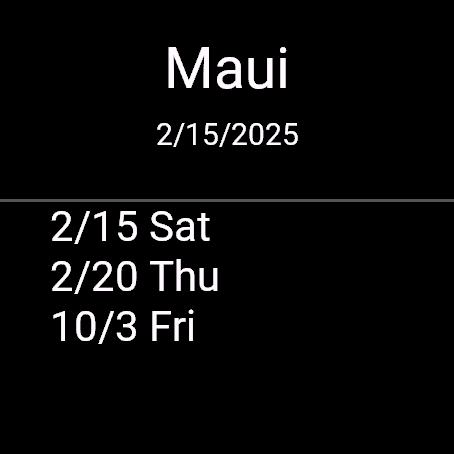
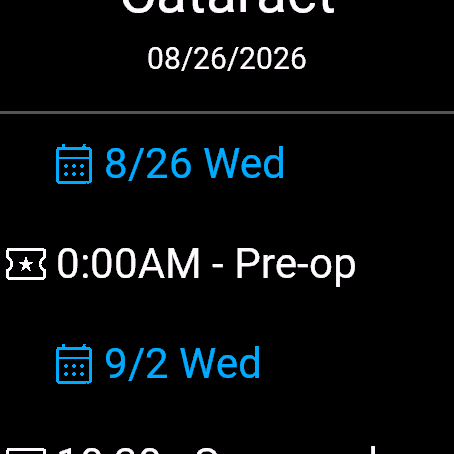
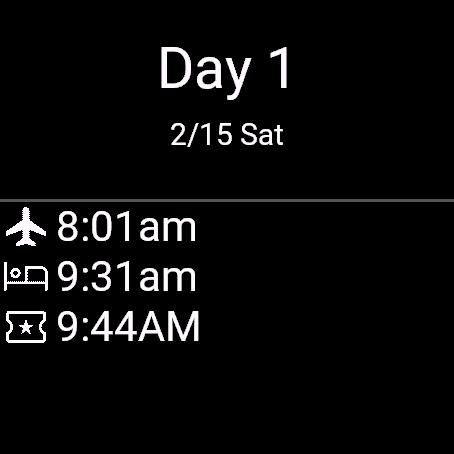
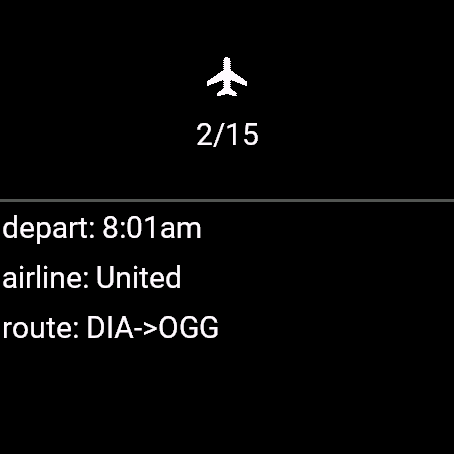
A trip consists of multiple days and each day consists of multiple events. The available events are:
 Flight
 Rental car
 Car suttle/ride share
 Train
Train Lodging
 Activity
Sojourn maintains the trip info in the watches memory so that, onece downloaded, it can be viewed at any time, any where.
Sojourn is licensed under the GPL V3.0. The latest source tree is available for browsing here and tarballs for the latest and older versions are located at the following links:
When Page by days is true the main
display will be as follows
and the information displayed is:
When Page by days is false the main
display will be as follows
and the information displayed is:
NOTE: Using this mode is probably only useful on watches that have tapable touch screens. Trying to scroll through a long list of events is easy on devices like a Venu but very cumbersome and hard on a device like a Forerunner 55. Use this mode cautiously.
Each event has an icon identifying the event type and the time of day for when the event starts (or the time the events ends if there is no start time, car rental pickups and hotel checkouts are the most common occrences of this situation). Tapping on an event brings up the Event page that shows all of the details about that particular event. The events are sorted based upon the shown time.

{
    "where" : "destination",
    "date_fmt" : "date format",
    "days" : [
        {
            "date" : "date string"
            "events" : [
                {
                    "cf" : "confirmation no",
                    "address" : "street address",
                    "end" : "end time",
                    "type" : "event type",
                    "seat" : "seat no",
                    "carrier" : "company name",
                    "phone" : "phone number",
                    "start" : "start time"
                }
            ]
        }
    ]
}
The days arrary must be present and must contain at least one element. Each days element is a structure that must contain a date field and can optionally contain an events array (which can be an empty array).
An events element is a set of fields. The only required field is type (don't get this wrong). All the other fields are optional and descibe aspects of the event. Note that events are displayed in the order of the events array. If you put an event that starts at 1PM before an event that starts at 11AM that's what the app will display and will probably confuse the user, the events really should be sorted based upon their start fields.
All fields contains strings (there are no numbers or booleans in the schema) and the details are:
Here is an example of the minimal itinerary:
{
    "where" : "Somewhere, USA",
    "days" : [
        {
            "date" : "1/1/2000"
        }
    ]
}
And here is an example of an itinerary that is little more detailed:
{
   "where" : "Hawaii - Maui",
   "days" : [
      {
         "date" : "3/15/2025",
         "events" : [
            {
               "start" : "8:00AM",
               "to" : "Kahului",
               "end" : "",
               "type" : "Flight",
               "carrier" : "United",
               "cf" : "SZB12J",
               "ident" : "UA714",
               "seat" : "20A"
            },
            {
               "ident" : "LRA-866",
               "carrier" : "Uber",
               "type" : "Ride",
               "end" : "11:00AM",
               "to" : "DIA -> OGG",
               "start" : "10:00AM"
            },
            {
               "carrier" : "Avis",
               "cf" : "xyzzy",
               "type" : "Rental",
               "start" : "11:12am"
            },
            {
               "type" : "Activity",
               "to" : "Walking tour",
               "start" : "2:10PM",
               "desc" : "Explore the city and see the sights and sounds around you"
            },
            {
               "cf" : "1245",
               "address" : "Somewhere, USA",
               "type" : "Lodging",
               "seat" : "256",
               "carrier" : "Hilton",
               "phone" : "303/621-4092",
               "start" : "11:00"
            }
         ]
      },
      {
         "events" : [
            {
               "type" : "Train",
               "end" : "9:01am",
               "to" : "DIA -> OGG",
               "start" : "10:10AM",
               "ident" : "BN101",
               "carrier" : "BN"
            }
         ],
         "date" : "3/20/2025"
      },
      {
         "date" : "10/3/2025"
      }
   ]
}
There are very few hard and fast rules about an itinery but one thing that will make things easier is being careful with start and end times. For a Flights, Trains, and Rides the 2 times make complete sense (they are displayed by the app as departure and arrival times) but both of these times don't make that much sense for Rentals and Lodgings. For those it makes for sense to put in 2 separate events, one for the day of pickup/checkin and another event for the day of dropoff/checkout.
No problem, we'll just download the itinerary as a string and then parse the string into a JSON data structure. Unfortunately, just to make things more difficult, Garmin decided not to provide an API to do JSON parsing even though their firmware clearly has the capability buried in it somewhere, so I had to write my own JSON parser just for the Sojourn app. The parser works so you should be able to download a JSON file from any server and Sojourn will handle it.
NB Garmin has some kinks about HTTP downloads that I'm still trying to undertstand. Turns out, on my Fenix5s, I can tell the app to download a file whose name ends in .json as a text file and the watch will interpret, and decode, that file as JSON. On my Venu3 I can't download that file at all, the Garmin firmware fails the download with a made up HTTP 400 error. And don't get me started on the differences in operation between the simulator and a real device (why is it so hard for Garmin to get the simulator to work the same way as a real device).